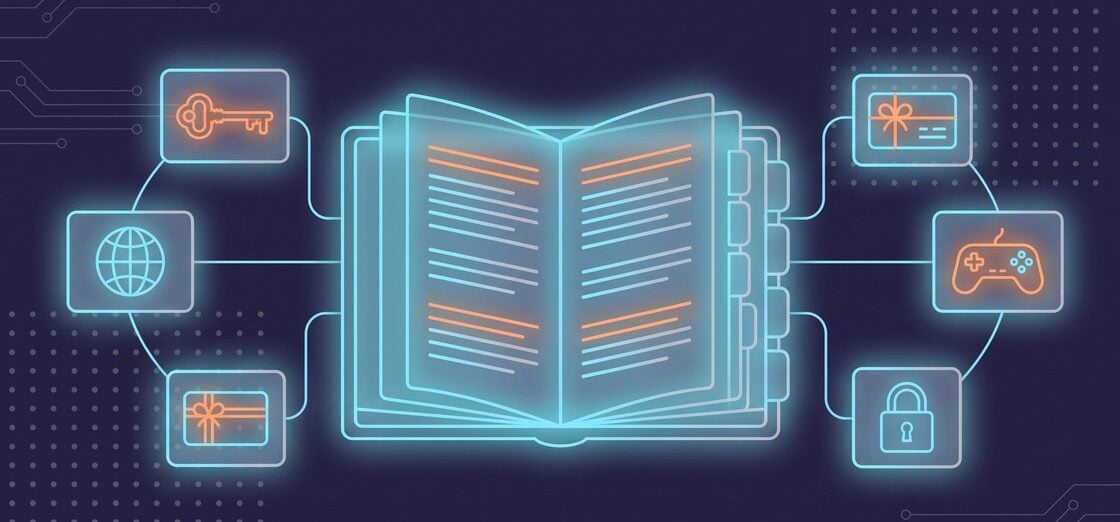
One misread term can send a code to the wrong account or region. This game key glossary defines 24 terms for game keys, gifts, gift cards and mobile top-ups, based on the help pages of Steam, Xbox, PlayStation, Nintendo, HoYoverse and Garena as checked on November 18, 2026.
A game key is a code that adds a game to one platform account. A gift is a copy of a game sent from one account to another, and a top-up delivers game currency straight to a player’s ID. Region locks decide where a key or gift can be activated. Check the region and the account first.
How does a game key get from a code into your library?
You enter a key once, on one account, and the platform checks it right then. A code for the wrong region, or one that’s already been used, fails at that step, before the game ever reaches your library.
Game key. A game key is a unique code that unlocks a game or add-on on one platform account, such as Steam, Xbox or PlayStation. Our guide to how game key sites work follows one key from supplier to library.
CD key. A CD key is the boxed version of a game key, printed on a card, sticker or disc inside the game’s packaging.
Steam key. A Steam key adds a game license to a Steam account. Valve’s developer documentation calls these codes “single-use,” so each one works for a single activation. Our comparison of the cheapest places to buy Steam keys covers where to find them.
Activation. Redeeming a key is called activation. On Steam you do it through “+ Add a Game,” and once a key “has already been tied to a Steam account,” Steam says it “cannot be registered again.”
Xbox code. Xbox codes are 25 characters long and cover games, add-ons, subscriptions and gift cards on a Microsoft account. Once a code is redeemed, Xbox Support won’t move it to another Microsoft account.
PlayStation voucher code. A PlayStation voucher code is twelve digits long and can add a game, a subscription or wallet funds to your account. Our PS5 game codes guide compares the types.
Why does a key work in one country and not in another?
Region rules come from the publisher and the platform, and a mismatch only shows up when you activate. Comparing the activation region on the offer with your account’s country before you pay catches it in advance.
Region lock. A region lock limits a key or gift to a named country or group of countries. Each publisher sets its own rules, and Steam says as much: “Region restrictions on CD Keys vary by each individual publisher.”
Activation region. It’s the country or area named on an offer where the key will activate. Every GAMIVO listing states it along with the platform.
Territory error. Redeem a key outside its region and Steam stops with the message “Game not available in your territory.”
Account region. Your account region is the country set on your platform account. PlayStation is strict about it: “The voucher code needs to be for the same region as your account.”
Currency region. A currency region is a group of countries that share one currency. Nintendo eShop Cards work across such a group, “in any country that uses the same currency as the Nintendo eShop Card.”
What happens to a gift, a gift card or wallet money?
A gift carries one game. A gift card carries an amount, and once you redeem it, that amount becomes wallet funds on your account.
Steam gift. One Steam account buys a game and sends it to another, which Steam calls “a one-time transfer.” The recipient has 30 days to accept it, and a gift bought in certain regions can be redeemed only in those regions.
Gift card. A gift card is a prepaid code for a fixed amount that goes into your platform wallet. Valve expects physical Steam gift cards to be gone from shelves by the end of 2026 and will keep offering digital ones. Our guide to digital game codes and gift cards covers both.
Wallet funds. Wallet funds are the balance you spend on one platform. On PlayStation, “your wallet funds are used first” when you pay. On Steam, the balance can’t be moved or gifted to another account.
Wallet top-up. Topping up a wallet adds money to your platform account, and PlayStation lists wallet top-up vouchers as their own code type. A mobile top-up is different: it credits currency to one game.
Subscription code. A subscription code adds time to a service such as Xbox Game Pass. Stacking codes has a ceiling. Microsoft caps an Ultimate plan at 36 months, as our Xbox Game Pass codes guide explains.
Which IDs and extras matter for a mobile top-up?
A mobile top-up skips the code. You give the game account’s ID, plus its server or zone in some games, and the currency or pass is credited to that account.
Direct top-up. A direct top-up sends currency or a pass straight to a game account by its ID, with nothing to redeem. GAMIVO’s direct top-up pages show “Up to 30 min Delivery.”
Premium currency. Premium currency is the currency you buy with real money, such as Genesis Crystals in Genshin Impact or Diamonds in Free Fire and Mobile Legends: Bang Bang. In Genshin Impact, Genesis Crystals convert to Primogems at a 1:1 ratio.
Player ID. Your Free Fire account is identified by its Player ID on Garena’s top-up centers. A mistyped Player ID is one of the causes Garena’s FAQ gives for an “account not found” message.
UID. A UID is your user ID in a HoYoverse game such as Genshin Impact. GAMIVO’s product page tells you where to look: “Your UID can be found in the down-right corner.”
Server. Some games tie an account to a regional server and need it at checkout. HoYoverse’s help center asks players to “double-check the server and account information” along with the UID, and our Genshin Impact top-up guide gives the same advice.
Zone ID. In Mobile Legends: Bang Bang, the Zone ID is the second account number, next to the User ID. A top-up needs both. Our Mobile Legends: Bang Bang top-up comparison shows where to find them.
First-purchase bonus. It’s extra currency you get on the first purchase of a given pack or pass. HoYoverse calls the Genshin Impact version “a one-time offer available on your initial purchase,” and Garena adds 100 bonus Diamonds the first time you buy each Free Fire membership type.
Membership pass. You pay once and collect currency in daily portions on the days you log in. The Blessing of the Welkin Moon runs for 30 days, the Weekly Diamond Pass for 7, and Free Fire’s Weekly and Monthly Membership for 7 and 30 days.
Game key glossary at a glance
Use the table as a last check before checkout. The third column shows where each term turns up.
| Term | Definition | Where you meet it |
|---|---|---|
| Game key | A code that unlocks a game on one platform account | Offer pages |
| CD key | A printed code included with a boxed game | Game packaging |
| Steam key | A single-use code that adds a Steam game license | Steam client |
| Activation | The step that ties a key to your account | Platform account |
| Xbox code | A 25-character prepaid code for a Microsoft account | Microsoft account |
| PlayStation voucher code | A 12-digit code for content, subscriptions or wallet funds | PlayStation account |
| Region lock | A limit on the countries where a code activates | Offer pages |
| Activation region | The area named on an offer where the key activates | Offer pages |
| Territory error | Steam’s message for a key used outside its region | Steam client |
| Account region | The country set on your platform account | Account settings |
| Currency region | Countries that share a prepaid card’s currency | Nintendo eShop Cards |
| Steam gift | A game sent from one Steam account to another | Steam inventory |
| Gift card | A prepaid amount for a platform wallet | Platform wallets |
| Wallet funds | The balance that pays for purchases on one platform | Platform wallet |
| Wallet top-up | Funds added to a platform wallet | Platform wallet |
| Subscription code | A code that adds time to a subscription | Subscription settings |
| Direct top-up | Currency or a pass credited to a game account by ID | Mobile games |
| Premium currency | The paid currency of a game | In-game shop |
| Player ID | The number that identifies a Free Fire account | Free Fire profile |
| UID | The user ID of a HoYoverse game account | Genshin Impact screen |
| Server | The regional game world of an account | Top-up checkout |
| Zone ID | The second account number in Mobile Legends: Bang Bang, next to the User ID | MLBB profile screen |
| First-purchase bonus | Extra currency on the first purchase of a pack | Top-up pages |
| Membership pass | A timed purchase that pays currency daily | Mobile games |
Frequently asked questions
Sites of this kind work as intermediaries between suppliers and players. On GAMIVO, an e-commerce platform for gamers, only registered companies can supply products. Several suppliers may offer the same game, and you pick a listing, check its platform and region, then activate the key on your own account.
A region lock is a publisher’s rule about where a key or gift can be activated. Outside that area, Steam rejects the key with a territory error. The Region lock and Activation region entries above show what to check before you buy.
You redeem a key yourself, on your own account. A Steam gift arrives from another Steam account and has to be accepted within 30 days. Regional limits apply to both.


Where to Buy GTA 6 the Cheapest: Prices, Editions, and How to Save Money
In our guide, we break down the official pricing for every GTA VI edition and show you where to find the best deals to save money.